
TV wait board
A wait board for the TV in your shop.
Everyone waiting can see who’s being served, who’s next and how long each pro’s wait is, so nobody has to ask.
30 days free. No card required.
The whole shop at a glance
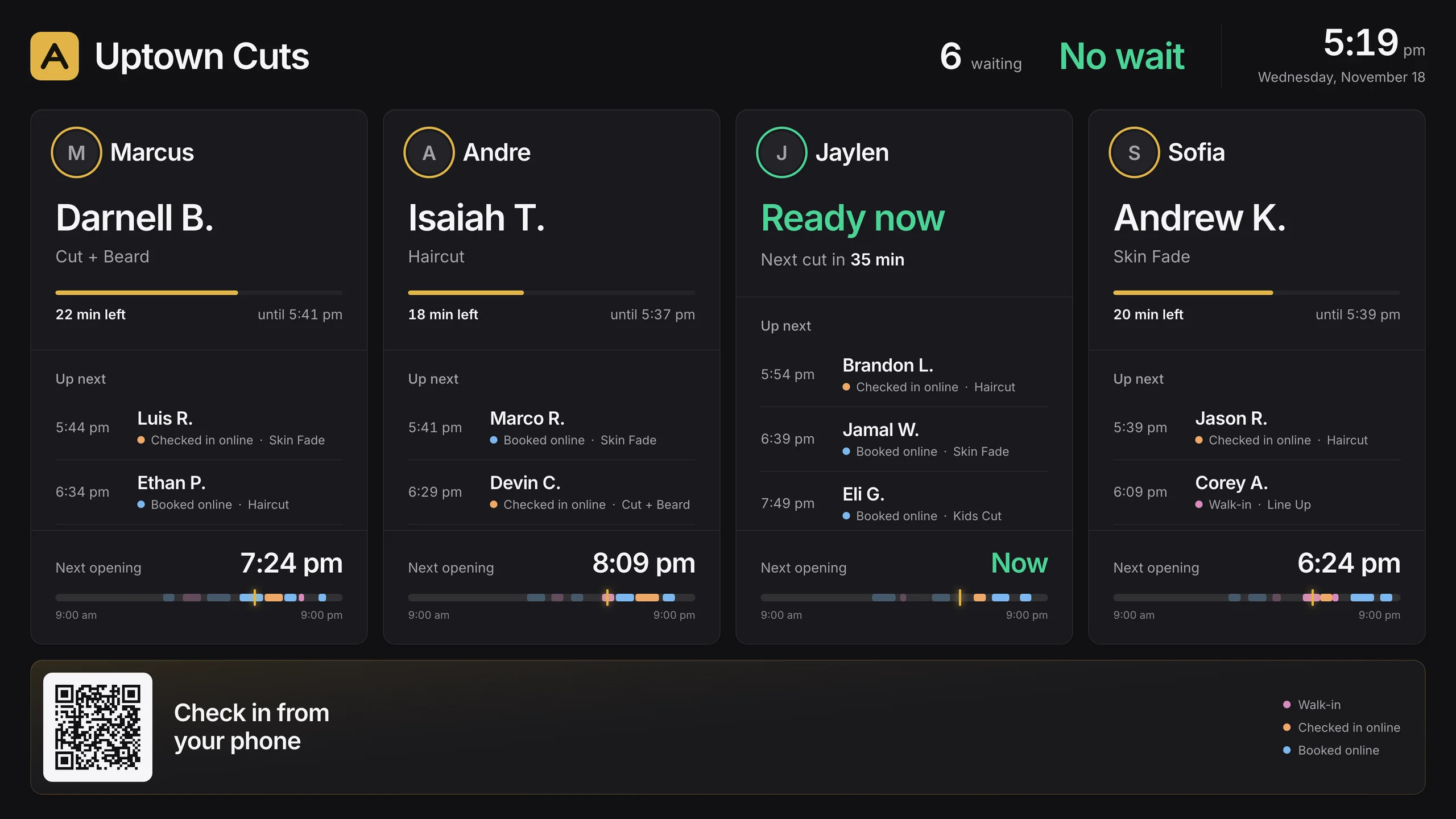
A card for each pro shows who’s in the chair, who’s up next and when they’re free, with the rest of their day on a strip.
- Busy, open or on a break, for each pro
- Up next, marked walk-in, checked in online or booked online
- The shortest wait and how many are waiting, up top
Scan to join the line
A code on the board opens your check-in page on their own phone, so nobody queues at the door to join the line.
- The code is on screen all day
- New arrivals are called out as they join
- Open chairs are called out too
Live, with nobody touching it
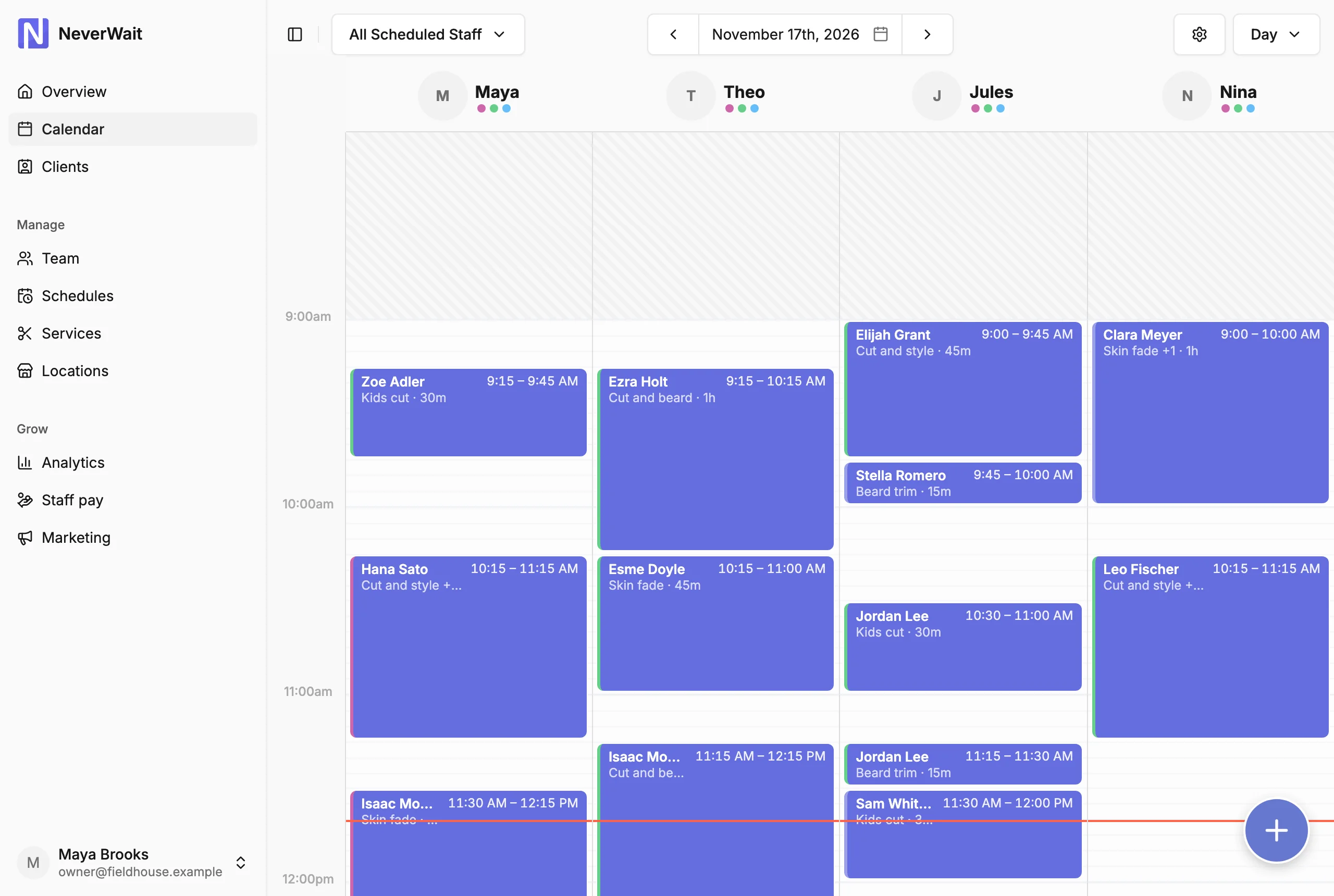
The board follows your calendar. A booking, a check-in or a cancellation shows up the moment it happens.
- A soft chime when someone new joins
- After hours, just your logo and the time
- Fits wide and tall screens
Also on the board
Your logo and colour
Your shop’s logo and accent colour on the screen.
Any screen
Any TV or monitor with something that opens a web page.
Set up with a code
Enter your location’s walk-in code once and it stays connected.
More of NeverWait
One account, every part of the shop.
Booking & walk-ins
Online booking, walk-ins and check-ins on one calendar.
Walk-ins
One line for walk-ins, bookings and check-ins, with live waits.
Check-in tablet
A tablet by the door where walk-ins join the line.
Payments
Cards, tips and payouts at checkout. Pay ahead online.
No-show protection
Pay ahead to book. Keep your share when a client doesn’t show.
Memberships
Monthly plans by card, with services included every month.
Staff & Payday
Schedules, commission, tips and pay periods.
Payday
Each person’s earnings and tips, worked out every pay period.
Reminders & no-shows
Automatic texts, policies and fewer empty chairs.
Client app
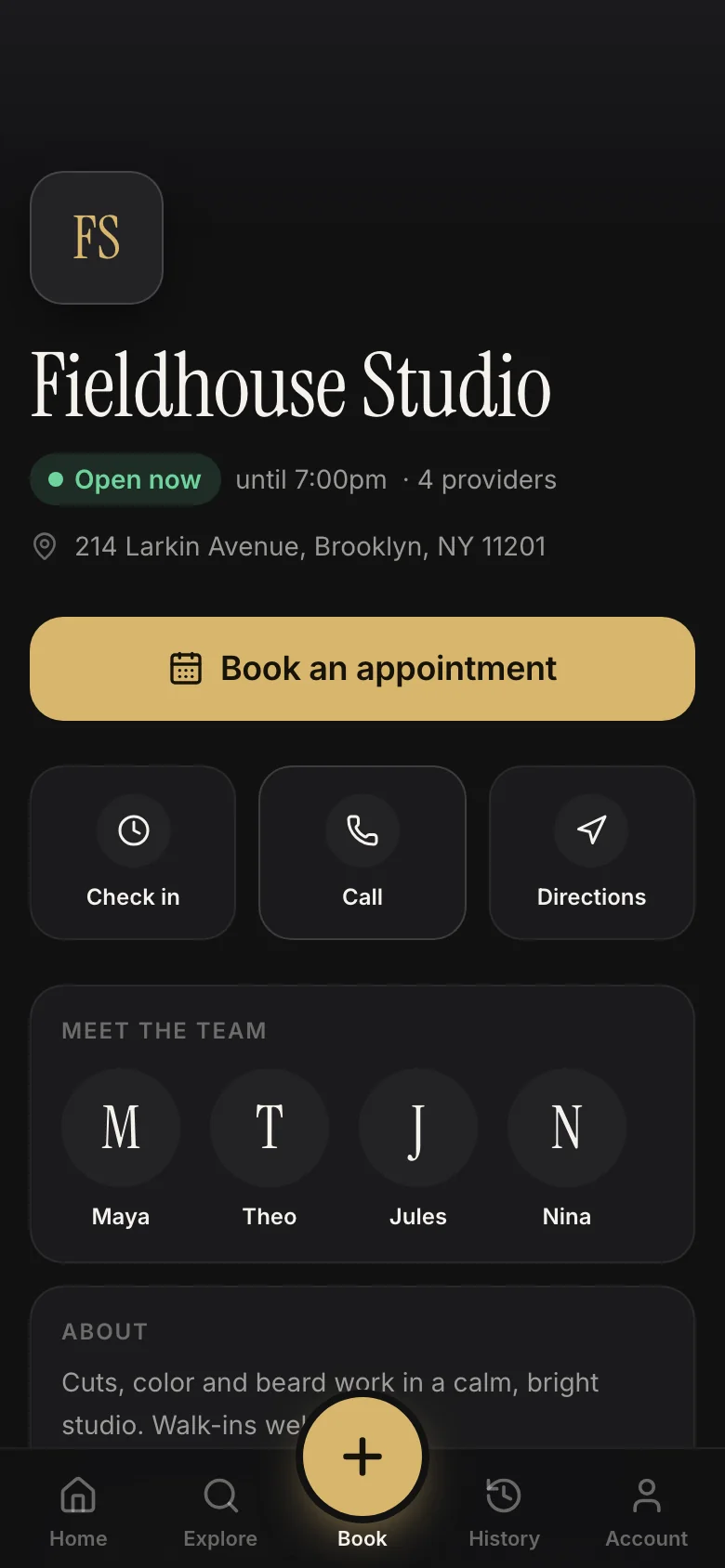
Clients book, check in and see live wait times.
Own your clients
No marketplace, no commission. Your booking page and your own app.
Questions
What do I need to run the board?
A TV or monitor, and anything that opens a web page on it: a smart TV browser, a streaming stick or a small computer. Enter your location’s walk-in code once.
Does it show clients’ full names?
No. Clients show by first name and last initial.
Does it update by itself?
Yes. It follows the calendar live, so bookings, check-ins, walk-ins and cancellations show up as they happen.
Does it cost extra?
No. The TV board is on every plan, along with the check-in tablet and wait times.
Put your line on the TV.
Try NeverWait free for 30 days and connect the board in a couple of minutes.
30 days free. No card required.